Smart Home Wiring Guide
Smart home tech is mostly a software and gadget conversation. But the part that trips people up is the electrical side. Neutral wires, switch compatibility, and wiring that was never designed for any of this.
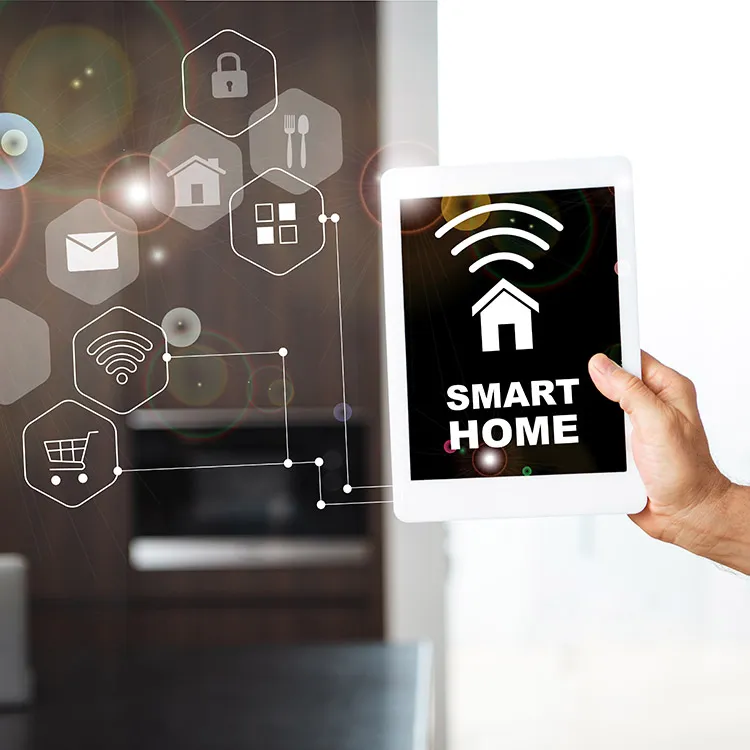
Smart speakers and smart plugs are easy. You buy them, plug them in, download an app, and they work. But once you start looking at smart light switches, smart thermostats, whole-home audio, or anything that gets wired into the wall, the project becomes an electrical project. And that's where most homeowners hit a wall they didn't expect.
The biggest one, by far, is the neutral wire. Ryan gets calls about this every week at Newman Electric. Someone buys a pack of smart switches, opens the switch box, and realizes the wires they need aren't there. Understanding what your home's wiring can and can't support saves you from buying the wrong equipment and tearing open walls for no reason.
The neutral wire problem
A conventional light switch has two wires: a hot (black) and a switch leg (also black or red) that runs to the light fixture. The switch just breaks the circuit. On or off.
A smart switch needs constant low-voltage power to keep its WiFi radio, processor, and indicator LED running even when the light is off. That constant power comes from the neutral wire (white). Without it, the smart switch has no way to stay powered when the light is turned off.
In homes built after the mid-1980s, neutral wires are usually present in the switch boxes because code started requiring them. In older Vancouver WA homes, the neutral often goes straight from the panel to the fixture, bypassing the switch box entirely. When Ryan opens a switch box in a 1960s or 1970s home, there's usually just two wires and a bare ground. No neutral.
Your options if neutral wires are missing
Option 1: Use Lutron Caseta switches
Lutron Caseta is the one major brand that does not require a neutral wire. They use a proprietary protocol (Clear Connect) and a small bridge hub. Reliable, well-supported, and available at most hardware stores. About $50 to $60 per switch. This is the path of least resistance for older homes.
Option 2: Pull neutral wires to the switch boxes
An electrician can add a neutral wire to your switch boxes, which opens up compatibility with every smart switch brand. The cost depends on accessibility. If the wiring runs through an accessible attic or basement, it's straightforward. If it's buried in finished walls, it gets more involved. Newman Electric does this regularly for smart home upgrades across Vancouver WA.
Option 3: Use smart bulbs instead of smart switches
Smart bulbs (Philips Hue, LIFX, etc.) go in the fixture and don't care about switch wiring at all. The downside is that the wall switch has to stay on at all times. If someone flips the switch off, the smart bulb loses power and becomes unresponsive. It works, but it's not as clean as smart switches.
Smart switch compatibility at a glance
Not all smart switches are built the same. The brand you choose determines what protocol your smart home uses, whether you need a hub, and whether neutral wiring is required. These are the most common options homeowners in Vancouver WA ask about.
| Brand | Neutral Required? | Protocol | Hub Needed? | Price Range |
|---|---|---|---|---|
| Lutron Caseta | No | Clear Connect | Yes (bridge) | $50-60 |
| TP-Link Kasa | Yes | WiFi | No | $15-25 |
| Zooz | Yes | Z-Wave | Yes | $25-35 |
| Inovelli | Yes (most) | Zigbee / Z-Wave | Yes | $35-50 |
Prices are per switch. Hub costs are separate and typically $50 to $100 for the initial setup.
WiFi vs Zigbee vs Z-Wave
Smart home devices communicate using one of three main protocols. The right one depends on how many devices you plan to use and how much you want to invest in the setup.
WiFi
Simplest start
- No hub required
- Works with existing router
- Easiest app setup
- Each device uses your WiFi bandwidth
- Can bog down with 20+ devices
Best for: 5-15 devices, renters, simple setups
Zigbee
Great mid-range
- Requires a hub (or Echo with built-in)
- Mesh network (devices relay signals)
- Low power, good for sensors
- Doesn't use WiFi bandwidth
- Can occasionally interfere with WiFi (same 2.4GHz band)
Best for: 15-50 devices, sensor-heavy setups
Z-Wave
Most reliable
- Requires a hub
- Mesh network with dedicated frequency
- No WiFi interference at all
- Strongest signal penetration through walls
- Slightly higher device costs
Best for: 30+ devices, large homes, serious automation
Plenty of smart homes use a mix of protocols. Your smart thermostat might be WiFi while your light switches are Z-Wave and your motion sensors are Zigbee. A hub like SmartThings or Hubitat Elevation can tie them all together. The protocol choice matters most for reliability and scale.
What you can do yourself vs what needs an electrician
DIY friendly
- Smart plugs and smart bulbs
- Smart speakers and displays
- Battery-powered sensors and cameras
- Smart thermostats (if wiring matches)
- Hub and app configuration
Call an electrician
- Smart switch installation (involves wiring)
- Adding neutral wires to switch boxes
- Cat6 structured wiring runs
- Dedicated circuits for networking gear
- Whole-home audio wiring
Structured wiring: future-proofing your smart home
WiFi covers most smart home needs, but the backbone of a serious smart home is hardwired ethernet. Cat6 cable to your office, your living room media center, and your access points makes everything faster and more reliable. Smart home hubs, security camera NVRs, and streaming devices all perform better on wired connections.
Ryan's crew at Newman Electric runs Cat6 wiring for smart home setups regularly. The typical project involves running cables from a central closet or utility room to 4 to 8 locations in the home, terminating them at wall plates, and setting up a small network patch panel. If you're doing a remodel or building new, this is the best time to add structured wiring because the walls are open and the cost is minimal compared to fishing cables through finished walls later.
For homes that already have finished walls, it's still doable. An experienced electrician can fish Cat6 through existing wall cavities using the same techniques they'd use for pulling new electrical wire. It takes longer, but the result is the same.
A note about smart thermostats
Smart thermostats like the Nest and Ecobee are the most common smart home device that people try to install themselves and run into wiring issues. Most smart thermostats need a "C wire" (common wire) for constant power. Older HVAC systems may not have one. Before you buy a smart thermostat, pull your current thermostat off the wall and look at the wires. If you see a blue wire labeled "C," you're probably fine. If not, an electrician or HVAC tech can add one. It's a quick job in most homes.
"Anthony was awesome! Professional, courteous, efficient and friendly. He was careful to ensure accurate placement of a new outlet prior to starting work. I have worked with Newman Electric on multiple projects and I appreciate the quality of each of their team members."
Ashley Nguyen, Google Review
Frequently Asked Questions
Do smart switches need a neutral wire?
Most smart switches require a neutral wire. The neutral provides constant low-voltage power so the switch stays connected to WiFi or its hub even when the light is off. Lutron Caseta is the main exception and works without a neutral. If your home was built before the mid-1980s, there's a good chance your switch boxes don't have neutral wires.
Can I add smart switches to an older home?
Yes. Use Lutron Caseta switches (no neutral required) for the simplest path. Or have an electrician pull neutral wires to the switch boxes you want to upgrade. Newman Electric does this regularly for older homes in Vancouver WA. The cost depends on wall accessibility.
WiFi, Zigbee, or Z-Wave: which is best?
WiFi is easiest for under 15 devices since no hub is needed. Zigbee is good for medium setups with lots of sensors. Z-Wave uses a dedicated frequency with zero WiFi interference and is the most reliable for large installations. Many homes use a combination. The protocol choice matters most when you get past 20+ devices.
Do I need an electrician for smart home installation?
Plug-in devices (smart plugs, bulbs, speakers, battery cameras) are all DIY. Anything that involves wiring into the wall requires an electrician: smart switches, smart outlets, Cat6 runs, and dedicated circuits. Incorrect switch wiring can damage equipment, void warranties, and create safety hazards.
Related Services
Smart Home Wiring
Smart switches, neutral wires, structured wiring
Outlet Installation
Smart outlets, USB outlets, and more
Lighting Installation
Dimmable LED fixtures and smart lighting
Panel Upgrade
More capacity for modern electrical demands
Whole House Rewiring
Full rewire with modern neutral wiring throughout
Data Cabling
Cat6 wiring for homes and businesses
Ready to wire your home for smart tech?
Newman Electric installs smart switches, pulls neutral wires, runs Cat6 cable, and handles the electrical side of smart home upgrades across Vancouver WA and Clark County. Ryan's crew can look at your switch boxes and tell you exactly what your options are.